Building AI Apps with Python
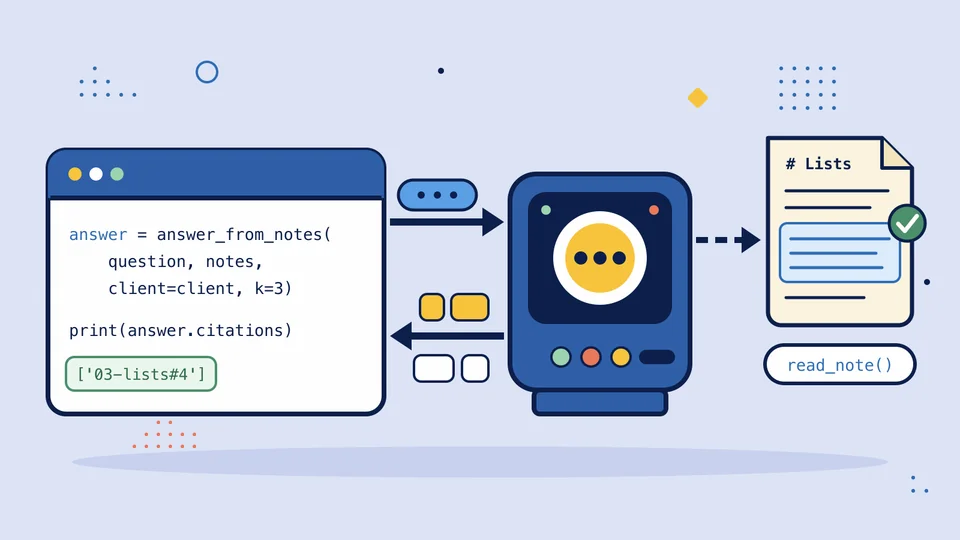
Write Python programs that use a language model properly. Call a model over HTTP, stream its answers, turn them into validated Python objects, let it call your functions, build a small agent, ground it in your own documents, and test and budget the result.
You need Python in Practice first, because this course builds on its requests, command-line and testing skills. Python Fundamentals II is recommended but not required: the course teaches the few pieces of it that it needs, such as type hints on fields and a pydantic model, where they first come up.
Every lesson runs against a course model inside the site's sandbox. The scripted model is free and gives the same answer every time, so you can finish the whole course without a live model or an API key of your own.
12
chapters
93
lessons
63
practice exercises
11
projects
Lessons are arranged in a recommended order, but you can open any lesson.
Chapter 1
An LLM Call Is an HTTP Request
Chapter 2
Conversations and Instructions
- A Model Remembers Nothingpractice
- System, User and Assistant Messagespractice
- Keep a Conversation Goingpractice
- The Context Window and max_tokens
- Keep the History Within Budgetpractice
- Write Instructions the Model Can Follow
- Keep Pasted Text Separate from Instructionspractice
- Project: A Study Chat That Stays on Topiccapstone
Chapter 3
Streaming
- Why Wait for the Whole Answer?
- What a Stream Looks Like
- Open a Stream and Read Its Bytespractice
- Recognize the Lines That Matterpractice
- Pull the Text Out of Each Chunkpractice
- Print as It Arrives, Keep the Whole Answerpractice
- When a Stream Breaks Halfwaypractice
- Project: Stream Answers in the Study Chatcapstone
Chapter 4
Structured Output
- Text Is Hard for a Program to Use
- Ask for JSON and Check Itpractice
- Name the Type of Each Valuepractice
- Read a Pydantic Modelpractice
- Write a Pydantic Modelpractice
- Validate the Model's Answerpractice
- Show the Model the Shapepractice
- Try Again Once When the Output Is Invalidpractice
- Project: Turn a Note into Quiz Questionscapstone
Chapter 5
Using the OpenAI Client
Chapter 6
Tools
- A Model That Can Ask for Help
- Describe a Function as a Toolpractice
- Read a Tool Call from the Responsepractice
- Look Up a Function by Namepractice
- Send the Result Backpractice
- Check the Request Before You Run Anythingpractice
- Several Tool Calls in One Replypractice
- Project: Let the Assistant Look Up a Notecapstone
Chapter 7
A Small Agent
Chapter 8
Answering from Your Notes
- The Model Doesn't Know Your Notes
- Split the Notes into Chunkspractice
- Score a Chunk Against a Questionpractice
- Pick the Best Few Chunkspractice
- Put the Sources in the Promptpractice
- Check That the Answer Cites Real Sourcespractice
- Say "I Don't Know" When Nothing Matchespractice
- Project: Answer Questions from the Course Notescapstone
Chapter 9
When Things Go Wrong
- What Can Fail in a Model Call
- Bound Every Callpractice
- Retry Only What Is Worth Retryingpractice
- Wait Longer Between Attemptspractice
- Notice a Cut-off Answerpractice
- Stop at Your Own Limit Firstpractice
- Project: A Call Wrapper That Fails Wellcapstone
- Route Quiz and Agent Calls Through the Wrapperpractice
- Retry a Stream Only Before It Printspractice
Chapter 10
Testing LLM Code
- Why You Can't Assert the Exact Answer
- Use the Supplied Fake Clientpractice
- Test the Agent Loop with Scripted Repliespractice
- Save a Real Response and Replay Itpractice
- Test Properties, Not Wordingpractice
- Build a Small Eval Setpractice
- Compare Two Prompts with the Eval
- Project: Tests for the Study Assistantcapstone
Chapter 11
Capstone
Chapter 12