Reading History
Compare Two Snapshots
git show compares one
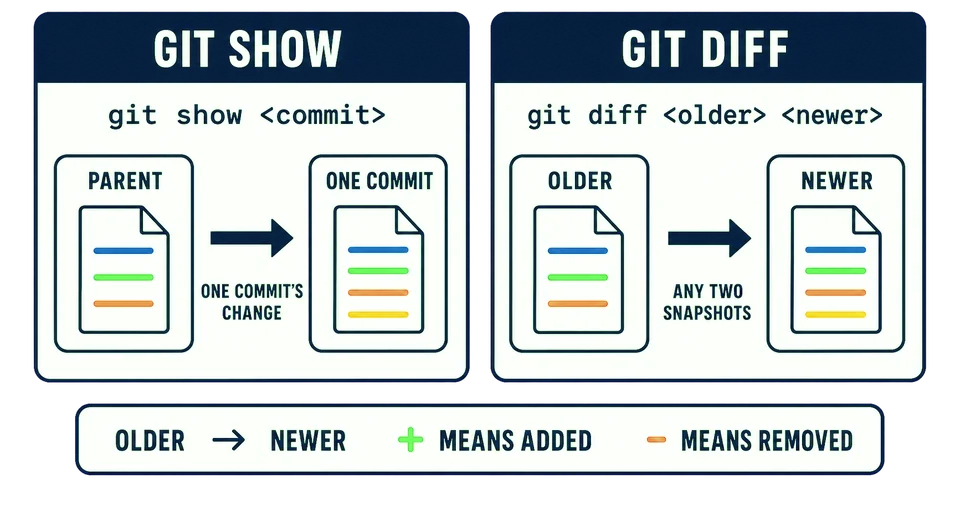
Name the two states
git diff compares states. When you give it two commit identifiers, the first is the starting snapshot and the second is the destination:
git diff <start> <destination>
There are no options in that form. The two identifiers are simply the commits you want compared, in the direction you want the answer read. The diagram uses the common older-to-newer direction, but Git also accepts the reverse and then describes the reverse journey.
Near the top of the Fern & Fig history, one commit fixes the fig price and the next documents where stock data lives. Compare those two snapshots:
git diff 8e9e8ec ed9fce3
Only README.md changed between them. The first three lines are context. The newer snapshot adds a Stock heading and a sentence naming stock.csv as the source of truth.
Direction changes the story
The order matters. With the older commit first, + means “present in the newer snapshot but not the older one.” If you reverse the identifiers, Git describes the trip in reverse and those same lines appear as removals.
This is not Git changing its mind. A difference always has a direction. Think of it as a sentence:
Starting at
8e9e8ec, what must change to arrive ated9fce3?
In that direction, the documentation is added.
show and diff answer different questions
The outputs look similar because both are comparisons:
git show <commit>asks what one commit changed from its parent.git diff <older> <newer>asks how any two snapshots differ.
The two commits given to git diff do not have to sit next to each other. Git already has both snapshots, so it can compare them directly without replaying every commit between them.
The form that names no commits at all
git diff always compares two states. Naming two commits is simply the most explicit way of choosing them.
Run it with no commit names and Git compares tracked files in your working tree with the git status to find those.
git diff
You are reading someone else’s
You run git diff OLD NEW. In the output, what does a line beginning with + tell you?
You can now read the history, open one commit, and compare two states. The last lesson puts those three moves together to answer a question that matters.