Chapter 5
Branches
What a Branch Points To
You have opened a small neighborhood guide that already has two
A branch is a movable name
Each commit has a long identifier, but people need a practical name for the newest commit on a line of work. A branch is that name. It points to one commit, and Git can follow that commit’s parent links back through the earlier history. If you have already met git reset in the undo chapter, this is the name it was moving.
When you make another commit on a branch, Git moves the branch name forward to the new commit. Git does not copy the project into another folder. The commits and files stay in one repository; the branch is a small moving pointer inside that repository.
The diagram previews what happens after two branch names have moved to different commits. The untouched repository below has not split yet: both of its names still point to the same newest commit.
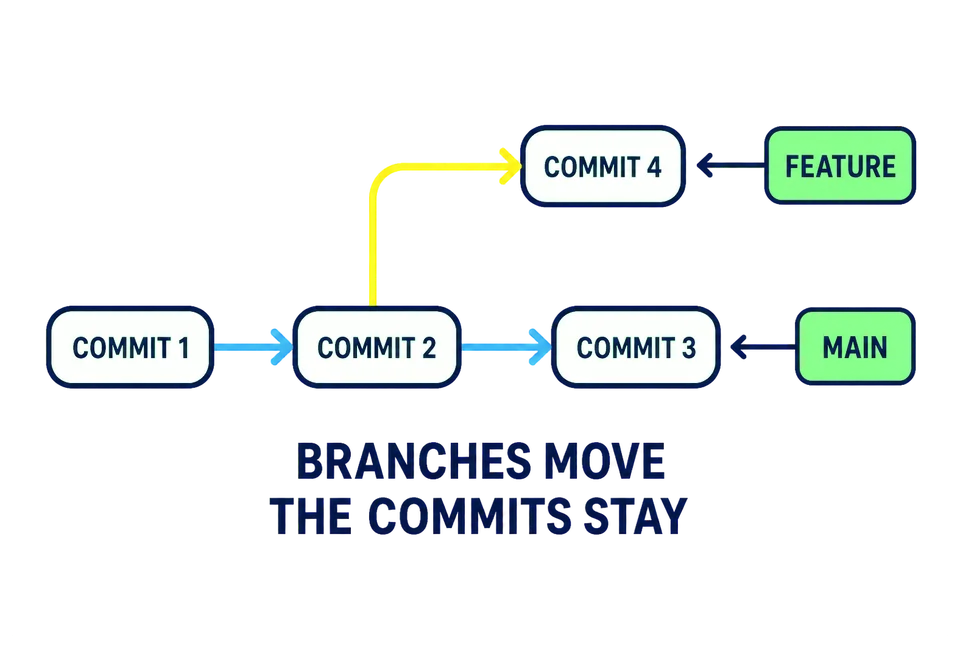
The seed has two branch names, main and clearer-title. Both currently point to the same newest commit. Drawn with the newest commit at the top, the way git log prints them, and the branch names written beside the commit each one points at:
Clarify the guide title       <- main, clearer-title
        |
Start the neighborhood guide
The vertical line means “the commit below is the parent of the commit above”. There are two commits in this repository and two names, and both names are labels on the same commit. This is one history and one working tree, not two copies of the guide.
See the branch names
The plain git branch command lists the repository’s local branches. With no options and no extra words, it only reads their names; it does not create, switch, or delete anything.
Run it now:
git branch
Git prints clearer-title and main. One line begins with *. That star marks the branch you are currently on, which is main in the untouched seed.
Git also keeps a special marker named HEAD, written in capitals. HEAD means “where I am now.” During normal branch work, HEAD points to the current branch, and that branch points to the current commit. Here HEAD points to main, while main points to Clarify the guide title.
Clarify the guide title       <- main (HEAD), clearer-title
        |
Start the neighborhood guide
You do not have to type HEAD yet. Its job is to explain why Git knows which branch should move when your next commit is made.
What does creating another Git branch normally create?
Plain git branch shows a star beside main. What does the star tell you?
Next you will create a third branch at this same commit and switch to it in one straightforward command.